
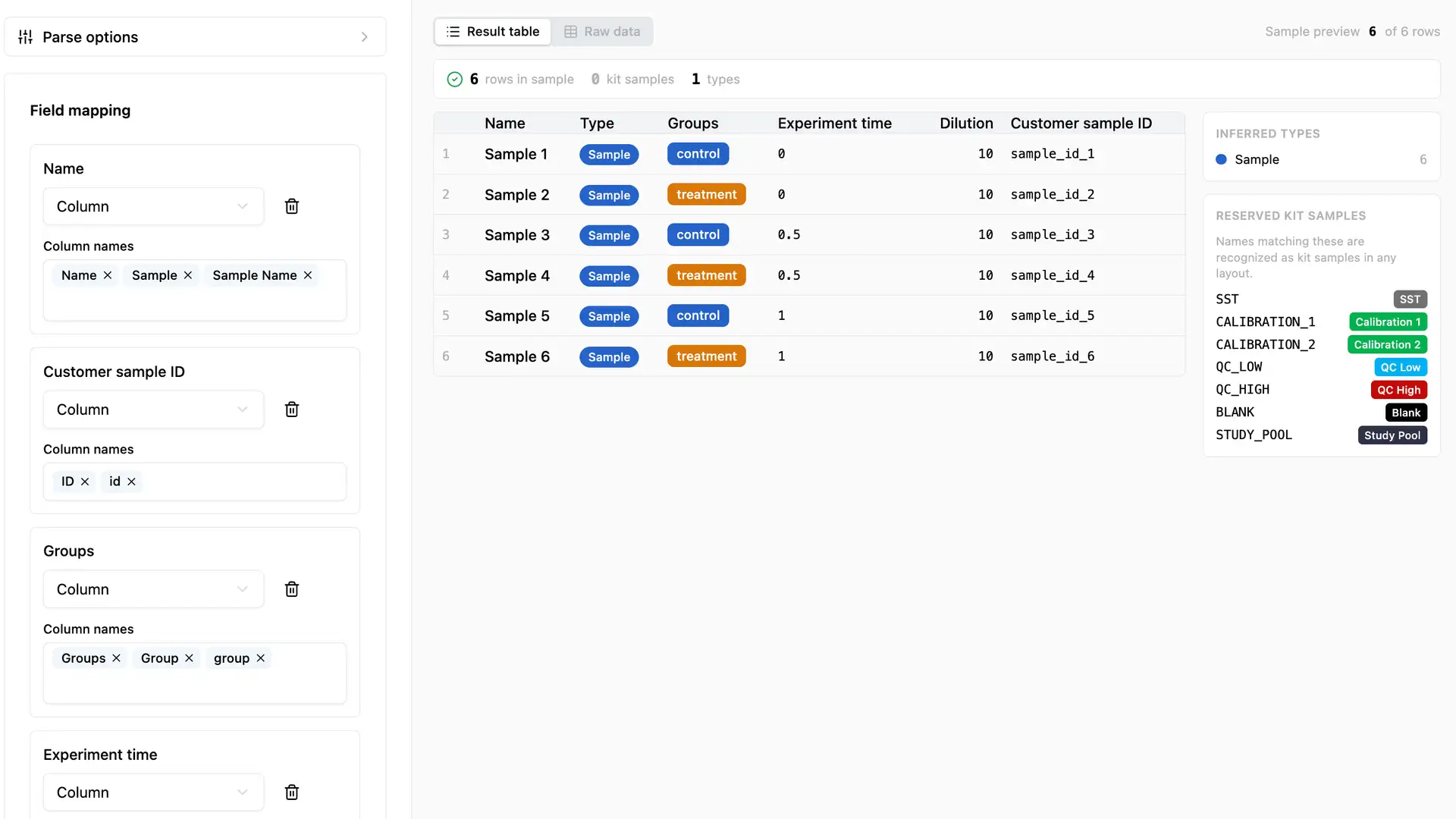
I built another CSV Importer. It's amazing and you will love it. I hope you never use it.
Today, the world gained a new CSV importer.
Yes. Another one. And I’m weirdly proud of it. Now, there are a lot of amazing CSV importers already, from interfaces that make spreadsheets SQL and SQL spreadsheets like 1010data to their more modern equivalent at Sigma Computing. From “Claude import this” to a national lab’s ambitiously named Universal Translator tool. From “text to columns” in Excel to snowsight importer + schema builder. And pretty much everything in between.
Why is this such a thing?

Ambitious startup adds one (1) unit to the global CSV-importer supply. Economists baffled. Award engraved before a sober estimate of total importers worldwide was available.
CSV is not a file format. It’s a mental model. CSV is so relevant because it represents the democratization of data sharing. When you get data contracts dialed in and teams humming along at scale, you love Iceberg, Parquet, and Protobuf. But if you’re reading this blog, you may not even know what those are. When people who care about what the data means (and not the storage format) want to share files, they reach for a text file with commas in it. Or maybe semicolons. Occasionally tabs. JSON and YAML only if they’re feeling cheeky. (And of course one cannot forget XML, as I was recently reminded when interacting with an amazing piece of open source software called Skyline that we use all the time — see my recent talk for more on that).
CSV importers are rubber + road interfaces. There are so many of them because there are so many places where real people doing real work far away from the ideals of data formats have to ingest data. We don’t want to email our collaborator and complain about a missing apostrophe, we want to just be able to make it work. Show me your CSV and I’ll tell you how you think about your problem. The column you put first, the thing you decided didn’t need a column at all, the heroic free-text “notes” field doing the work of a database — it’s all there. Your spreadsheet is a confession.
Did the dilution go in its own column or get smuggled into the sample name? Is “timepoint” a real field or three different spellings in the notes? Is the well position A1, A01, or row/column in two separate columns? Every one of those choices is a decision about how you think about the experiment.
A good CSV importer has mappings, of course, but also helps you make smart checks. For us, that means things like: Did you assign to a well that doesn’t exist on the plate? Are there too many samples to fit on the plate? Are the blanks and QCs present? Do you have enough study pool wells for all the planned injections?
Here’s why we sweat this. A mis-mapped sample doesn’t crash anything. It produces a clean-looking, fully validated, completely wrong result — and that result survives all the way to a figure before anyone notices. The scary failure mode in a lab isn’t the import that errors out; it’s the one that quietly gives you a beautiful, confident, wrong answer that sends you back to the bench days later. That’s the failure we’re actually preventing.
Moving data should not be the hard part of science
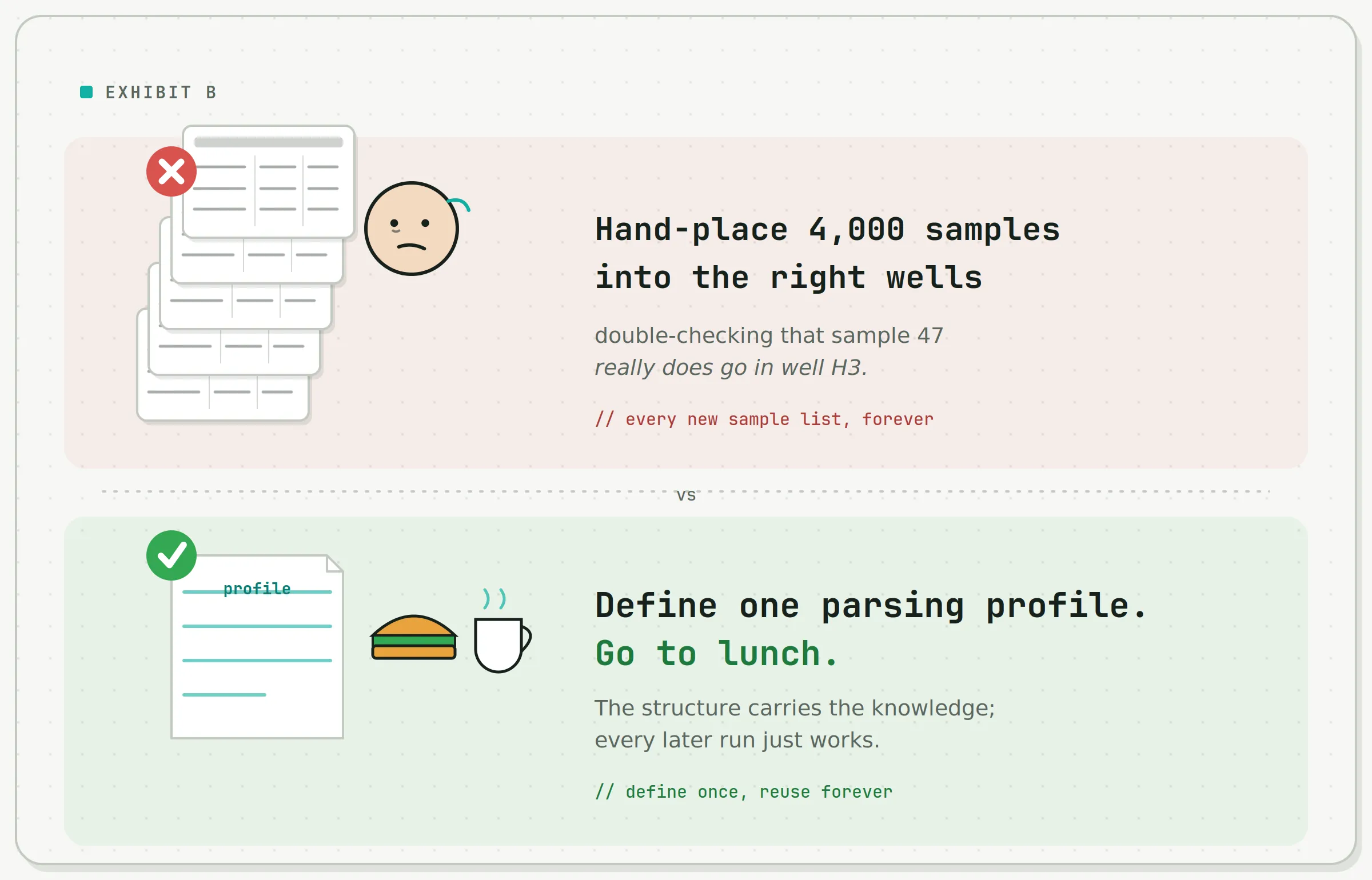
Same workflow. Same lab. Wildly different afternoons.
I get to work with absurdly talented scientists pushing the frontier of separations, stable-isotope-labeled internal standards, and software-defined workflows. It is, genuinely, a blast. And like clockwork, the lingua franca for getting an experiment from “the lab that wants to run it” to “the software that will actually run it” turns out to be (I hope this isn’t a surprise by now) a CSV. (I call it a “sample list” when I’m feeling science-y). A sample list is just rows of samples plus the handful of facts the assay needs about each one: a sample name, a LIMS ID, the group it belongs to, its dilution, when it was collected, and where it sits on the plate. Note what’s not in there — any actual signal. No peaks, no chromatograms. Those come out the far end after the instrument runs. The sample list is the question; the fancy LC-MS data is part of the answer.
Core-lab scientists juggle a whole lot of specialized assays. So the pitch at Move Analytical is simple: automate the boring, error-prone parts of the workflow so scientists can spend their brains on hard scientific questions, instead of “wait, which well does sample 47 go in” and “let me personally eyeball four thousand chromatograms to confirm the instrument didn’t have feelings today.”
We’re not just building a kit
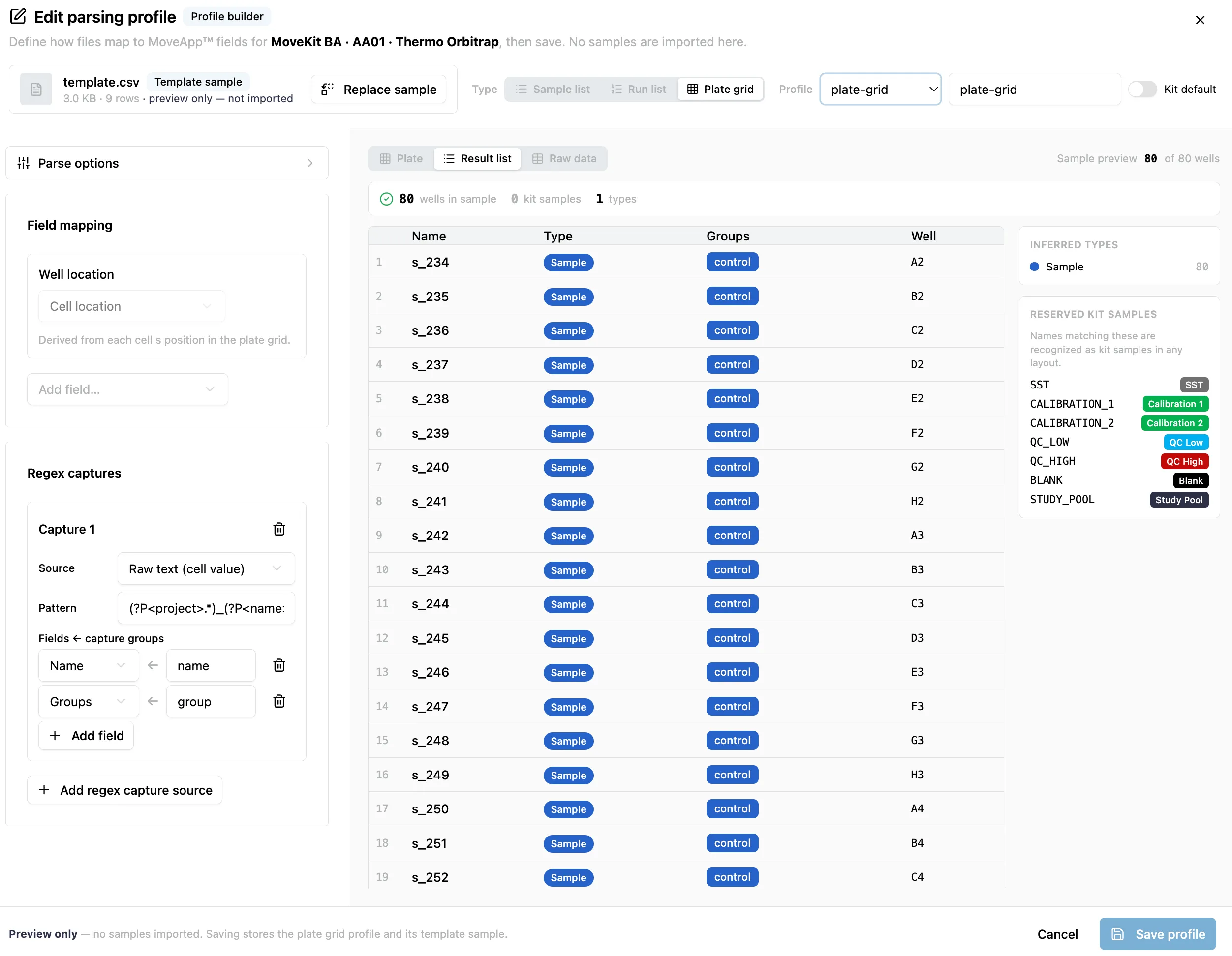
A nice UI is actually a side effect.
So, to help automate a boring part of the workflow, we built a CSV importer. Samples in, perfect plate layouts out. As a CSV importer, it was a simple one. And it was great. It worked beautifully for our first couple of kits. But it wasn’t ambitious enough.
Because we’re not building kits. We’re building kit builders. We’re building the thing that lets core labs “kit-ify” their workflow. The reality in our market is that many of the technical measurements required to understand biology are done using bespoke assays that rely on deep technical knowledge from individuals inside specific labs. When we say we plan to offer a kit builder, we are ambitiously suggesting that we will equip labs to declare their research goals—whether chemical analytes or biological variations—and quickly work with an agent to define the full technical parameters of their assay. That’s what we’ve done with MoveKit BA and what we’re now working with other labs to do for other assays: we’re equipping experts with even more powerful tools to ensure their results are accurate, reproducible, and efficient to gather.
The result is truly a win-win: because the agent has access to our MoveApp API, the assay is immediately ready to use as part of a full in-lab workflow, complete with protocols for sample prep, chromatography, instrument methods, SST, data checks, batch checks, automated processing, and even showing results in the context of a biological pathway analysis.
(Okay, so we got a bit aspirational there…the vision at Move is large! So, back to our CSV importer…)
The robots hit the same wall as everyone else
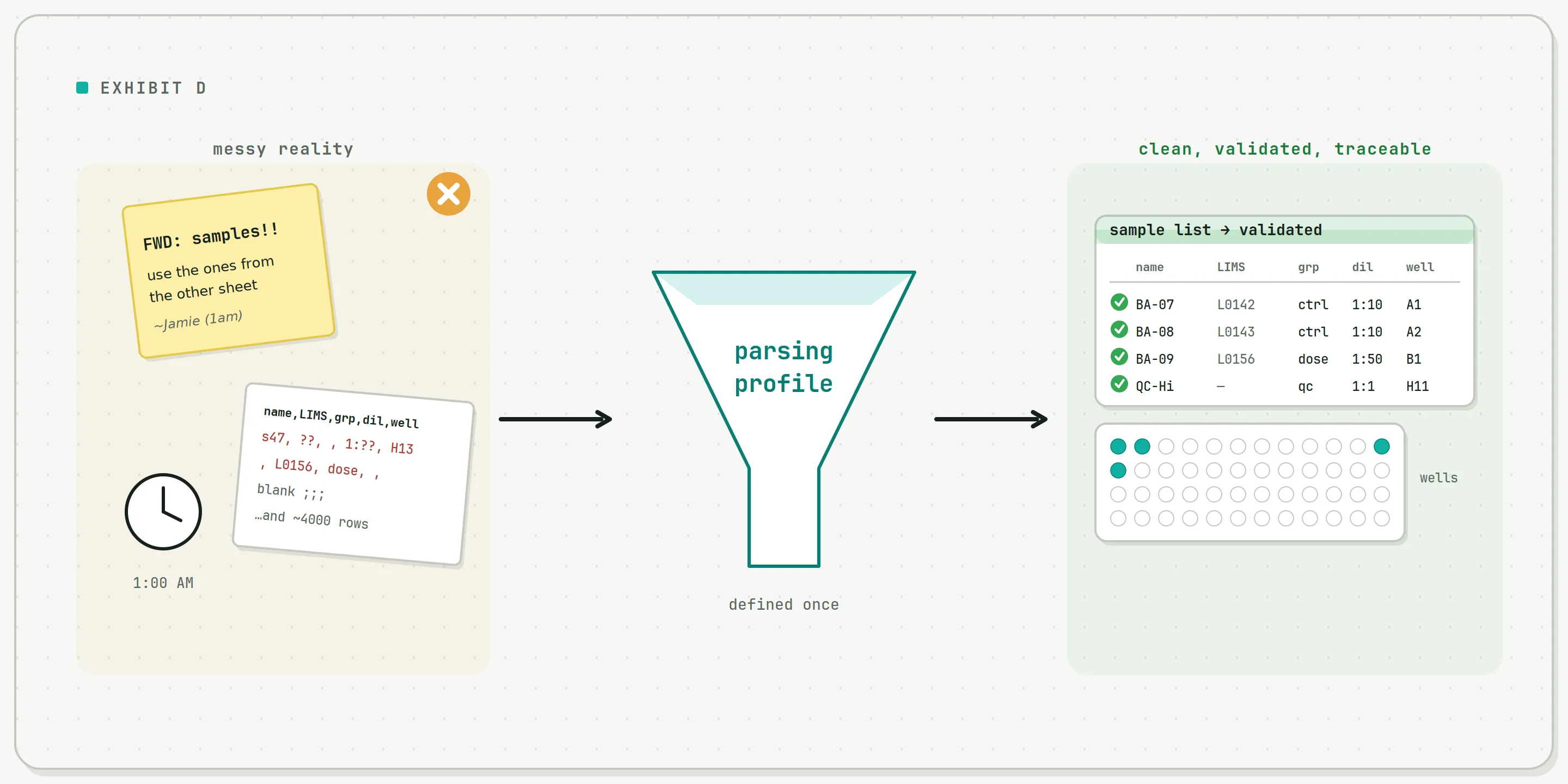
The parsing profile is the bit in the middle that nobody sees and everybody benefits from.
Labs get sample information in every format the universe permits. A list pasted into an email. A spreadsheet a grad student assembled at 1 a.m. A pristine export from an enterprise LIMS that cost more than a car. We wanted to express all of that in a way that’s easy for us, sure, but also easy for software agents.
That last part is where it got interesting. We started building an internal interface so our agents could drive our software, and the agents promptly ran face-first into the exact wall humans hit: how do you translate a messy pile of “here’s my experiment” into the precise structure a specific assay actually needs?
Domain knowledge transforms the product
When we actually sat down with the mess, we found there are really only a handful of pieces of information that matter. So we named the abstraction the parsing profile and used it to break the whole problem into a few clean steps that an agent (or a person) can reason about without crying. A parsing profile captures the delimiters, the field mappings (which column is the name, the LIMS ID, the dilution), and even regex parsing to pull a 96-well grid back into rows, because that is a thing. That results in something of a mantra:
Define the structure once. Let the structure carry the domain knowledge. Let everyone downstream, human or machine, stop reinventing the comma.
The quiet payoff here isn’t really reproducibility — though you get a bit of that for free, since every import can record the exact profile it ran. The real payoff is that the parsing profile is domain-aware. It doesn’t just say “column 3 is the dilution”; it carries what a dilution is, what a well position means, what an internal standard is for. That’s the marriage that makes an agent genuinely useful here: agents can write the transform to wrangle your particular mess almost for free, but only if they understand the target precisely — and the profile is what lets them understand it. Better still, because a profile is cheap to define, you get both flexibility for a quick up-front transform, or easy and fast reproducibility: a throwaway shape for one weird email or a hardened profile you run a thousand times.
The net result? Yep. Another CSV importer. But it’s a really good one. And here’s the part I love most…
We hope most of you never touch it
Instead, you’ll point an agent at an email: “hey, set up this experiment”, and it’ll already have the structure and domain knowledge to build you a beautiful entry point into your assay. And if you’re running a high-volume, repeatable workflow and want absolutely nothing to do with agents? Also fine. We’ll hand-tune a parsing profile that fits your experiment like a glove.
The world has another CSV importer. You’re welcome. You’ll (hopefully) love what it does for you without having to use it directly.
About the Author
James Campbell is a Founding Partner at Move Analytical and serves as Software and AI Lead.